> ## Documentation Index
> Fetch the complete documentation index at: https://datum.net/docs/llms.txt
> Use this file to discover all available pages before exploring further.
# ALB
> Datum's Application Load Balancer (ALB) is built on Envoy and provides Layer 7 routing with a Coraza-based Web Application Firewall (WAF) to protect and route internet traffic to your backend services.
**Working with this resource via an AI agent?** Datum publishes three skills covering Application Load Balancer: [Application Load Balancer](/docs/agents/skills/alb) (creating and managing one, plus WAF and auth), [Client Traffic](/docs/agents/skills/client-traffic) (TLS termination, HTTP/3, connection limits), and [HTTPRoute](/docs/agents/skills/httproute) (path routing, traffic splitting, redirects).
Our Application Load Balancer (ALB) is built on Envoy and provides an intelligent HTTPProxy along with a Coraza-based Web Application Firewall (WAF).
Application Load Balancers help you protect and route internet traffic to your backend services. We support HTTP(S) 1.1, HTTP2, gRPC, and WebSockets.
 ## What an ALB is made of
In Datum today, an Application Load Balancer is a product experience over several platform resources — not a single API kind. Creating an ALB in the Cloud Portal stitches these together for you:
```text theme={null}
Application Load Balancer (product)
├── HTTPProxy (user-created) — L7 routing, origin, Force HTTPS, Host header
│ └── operator materializes Gateway (same name), canonical hostname,
│ DNSRecordSet(s), and TLS certificates (ACME)
├── TrafficProtectionPolicy (created with the proxy, same name) — Coraza/OWASP WAF
│ └── targetRefs → Gateway
└── [optional] SecurityPolicy + Secret *-basic-auth — basic authentication
```
| Piece | Role |
| - | - |
| **`HTTPProxy`** | Primary user-facing resource for hostnames, origin backends, redirects, and request filters |
| **`TrafficProtectionPolicy`** | WAF policy (Observe / Enforce / Disabled) attached 1:1 to the proxy's Gateway |
| **Gateway** (operator) | Provisioned from the HTTPProxy; WAF and auth policies target it |
| **DNS + TLS** (operator) | Canonical hostname, DNSRecordSets, and ACME certificates from proxy status |
| **SecurityPolicy** (optional) | Basic auth via Envoy Gateway, backed by a Secret |
Portal create always POSTs an `HTTPProxy`, then attempts a matching `TrafficProtectionPolicy` (best-effort today if WAF attach fails). With `datumctl`, you still apply these resources separately — there is no composite ALB API yet.
See [HTTPProxy and WAF Capabilities](/docs/alb/proxy-waf) for schemas and `datumctl` examples.
## Features
Each Application Load Balancer deploys with a default hostname and enforces HTTPS (you can disable this).
* **Protection** - The [**OWASP Coraza Web Application Firewall (WAF)**](https://www.coraza.io/) provides built-in protection. By default, protection runs in "observe" mode. You can set it to enforced status and select either Level 1 (relaxed) or Level 2 (balanced).
* **Custom Hostnames** – Verify domains (or use already verified domain resources) to use custom hostnames with an Application Load Balancer.
* **Basic Authentication** - Add a username and password to restrict access to an Application Load Balancer.
To monitor the health of your Application Load Balancers, you can use:
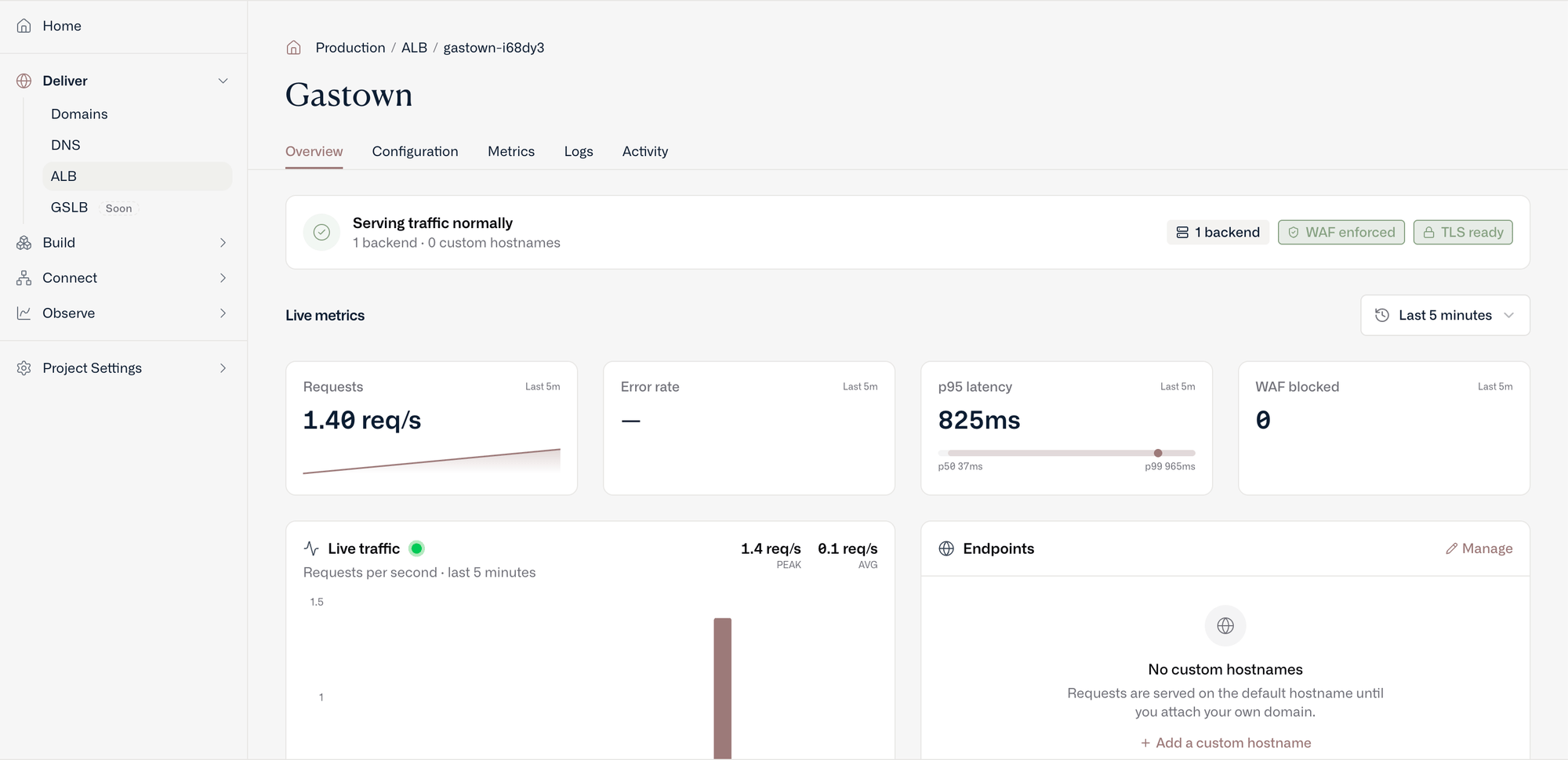
* **Status** – View status “Accepted” and “Programmed”, Generated hostname(s), Custom hostname verification status, and TLS verification status.
* **Metrics** - The Datum Cloud portal provides a variety of baseline metrics, filtered by region, including: global upstream latency percentile, regional upstream RPS, and regional upstream response.
* **Activity Logs** - View and filter activity across a project, and filter by resource type (including Application Load Balancer) and action.
This documentation is built and hosted on [Mintlify](https://mintlify.com), a developer documentation platform.
## What an ALB is made of
In Datum today, an Application Load Balancer is a product experience over several platform resources — not a single API kind. Creating an ALB in the Cloud Portal stitches these together for you:
```text theme={null}
Application Load Balancer (product)
├── HTTPProxy (user-created) — L7 routing, origin, Force HTTPS, Host header
│ └── operator materializes Gateway (same name), canonical hostname,
│ DNSRecordSet(s), and TLS certificates (ACME)
├── TrafficProtectionPolicy (created with the proxy, same name) — Coraza/OWASP WAF
│ └── targetRefs → Gateway
└── [optional] SecurityPolicy + Secret *-basic-auth — basic authentication
```
| Piece | Role |
| - | - |
| **`HTTPProxy`** | Primary user-facing resource for hostnames, origin backends, redirects, and request filters |
| **`TrafficProtectionPolicy`** | WAF policy (Observe / Enforce / Disabled) attached 1:1 to the proxy's Gateway |
| **Gateway** (operator) | Provisioned from the HTTPProxy; WAF and auth policies target it |
| **DNS + TLS** (operator) | Canonical hostname, DNSRecordSets, and ACME certificates from proxy status |
| **SecurityPolicy** (optional) | Basic auth via Envoy Gateway, backed by a Secret |
Portal create always POSTs an `HTTPProxy`, then attempts a matching `TrafficProtectionPolicy` (best-effort today if WAF attach fails). With `datumctl`, you still apply these resources separately — there is no composite ALB API yet.
See [HTTPProxy and WAF Capabilities](/docs/alb/proxy-waf) for schemas and `datumctl` examples.
## Features
Each Application Load Balancer deploys with a default hostname and enforces HTTPS (you can disable this).
* **Protection** - The [**OWASP Coraza Web Application Firewall (WAF)**](https://www.coraza.io/) provides built-in protection. By default, protection runs in "observe" mode. You can set it to enforced status and select either Level 1 (relaxed) or Level 2 (balanced).
* **Custom Hostnames** – Verify domains (or use already verified domain resources) to use custom hostnames with an Application Load Balancer.
* **Basic Authentication** - Add a username and password to restrict access to an Application Load Balancer.
To monitor the health of your Application Load Balancers, you can use:
* **Status** – View status “Accepted” and “Programmed”, Generated hostname(s), Custom hostname verification status, and TLS verification status.
* **Metrics** - The Datum Cloud portal provides a variety of baseline metrics, filtered by region, including: global upstream latency percentile, regional upstream RPS, and regional upstream response.
* **Activity Logs** - View and filter activity across a project, and filter by resource type (including Application Load Balancer) and action.
This documentation is built and hosted on [Mintlify](https://mintlify.com), a developer documentation platform.